
How to rename a file
Renaming files to meaningful names reduces the chances of user not being able to locate files when they really need it. Here are steps on how to do it on A1 Word / A1 XLS -
-
On home screen, identify the file that you wish to rename and select 3 dots next to it

-
You should be able to see a popup at the bottom of the screen. Select Rename File to proceed

-
A popup requesting you to input the new file name should show up as shown below
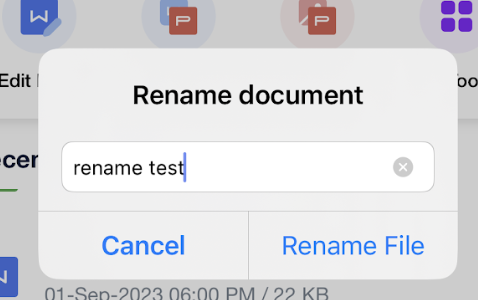
- Press "Rename File" to confirm the changes. You should be able to see the file with updated name at the same location.
A1Apps - Transforming Mobile experiences